Transform An Outdated Squarespace Website Into A Better Digital Experience
If your Squarespace website feels outdated, difficult to navigate or no longer reflects your business, I can help redesign it with clearer structure, responsive layouts, stronger user experience and SEO-aware improvements.
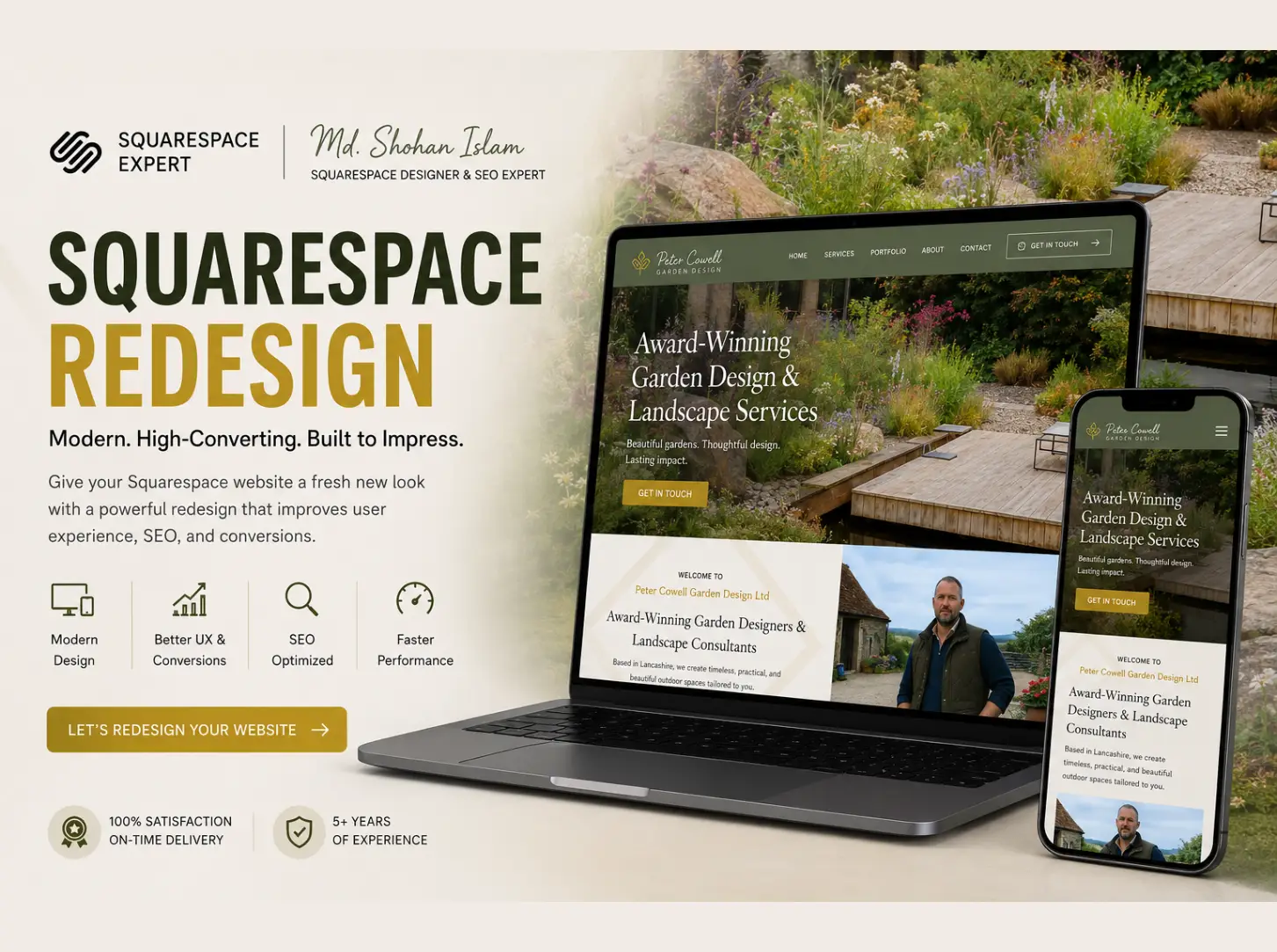
Signs Your Squarespace Website May Need A Redesign
Outdated Visual Design
The visual styling no longer matches your current brand identity, giving visitors a stale or unprofessional impression.
Difficult Navigation
Overcrowded menus or unclear page categories make it frustrating for visitors to find essential service details.
Poor Mobile Experience
Layouts break or become awkward on smaller smartphone screens, causing high drop-off rates from mobile users.
Unclear Calls To Action
Buttons and contact triggers are hidden, poorly positioned, or ambiguous, leading to lower inquiry conversions.
Inconsistent Branding
Fonts, color schemes, and section styling vary across pages, diluting visual authority and brand recognition.
Weak Content Hierarchy
Key messaging is buried under long paragraphs without clear heading structures or scannable layout blocks.
Slow Or Unoptimized Pages
Uncompressed images, bloated custom code, or outdated gallery implementations slow down page performance.
SEO Structure Needs Improvement
Missing meta tags, unstructured headings, or duplicate URLs limit search engine indexing clarity.
Redesign The Experience, Not Just The Appearance
A successful website redesign goes beyond applying a new visual theme or changing background colors. True website improvement begins by evaluating your business objectives, understanding how prospective clients interact with your content, and identifying structural friction points that prevent conversions.
During a redesign, existing copy and media assets are thoroughly reviewed. Rather than discarding historical content blindly, valuable information is reorganized into simplified navigation menus and clearer page hierarchies. This ensures that visitors find essential service details naturally while mobile users enjoy a fluid experience.
Calls to action are strategically repositioned to guide decision-making, while existing search engine value is safeguarded through structured heading tags, URL preservation, and meta descriptions. The goal is a modernized, user-friendly Squarespace website that strengthens credibility and supports business growth.
What's Included In A Squarespace Redesign
Website Audit
Review existing structure, UX, content organization, and visual consistency to identify improvement areas.
Information Architecture
Improve navigation menus, logical page hierarchy, and content paths for effortless user browsing.
Visual Redesign
Refine typography, spacing scales, color palettes, section layouts, and visual brand consistency.
Responsive Improvements
Engineer fluid, tablet-ready, and mobile-first layouts so the website works smoothly across all screen sizes.
Conversion Improvements
Strengthen call-to-action placement, inquiry forms, and decision paths to encourage qualified contact.
SEO-Aware Redesign
Protect existing indexation, maintain search metadata, and organize clean heading structures.
Content Structure
Organize and format existing text and visual media for clearer communication and scannability.
Launch Review
Conduct end-to-end testing of responsive layouts, forms, links, and speed considerations before going live.
From A Frustrating Website To A Clearer Experience
BEFORE REDESIGN
Friction Points- ✕Outdated, cluttered layout with inconsistent font choices
- ✕Crowded page sections and confusing navigation paths
- ✕Weak content hierarchy making text difficult to scan
- ✕Hidden or ambiguous calls to action
- ✕Poor mobile presentation causing user drop-off
AFTER REDESIGN
Refined Experience- Clear page structure and purposeful section spacing
- Modern, cohesive visual system reflecting your current brand
- Strong typography hierarchy for effortless content reading
- Simplified navigation and prominent, clear conversion buttons
- Fully responsive layout engineered for mobile and tablet screens
A Structured Squarespace Redesign Process
Audit
Review the current website, evaluate user friction points, and identify core redesign opportunities.
Strategy
Define page priorities, simplified navigation structure, and primary conversion pathways.
Redesign
Develop the new visual direction, typography scale, color system, and responsive layouts.
Build & Optimize
Implement redesign layout in Squarespace, applying responsive adjustments and SEO protection steps.
Review & Launch
Test across mobile and desktop devices, verify link integrity, and launch the refreshed experience.
Redesign Your Website Without Ignoring SEO
One common concern during a website redesign is losing search visibility. Careless URL changes or removing established page content without planning can disrupt search engine indexation. A structured redesign prioritizes SEO preservation from the beginning.
Existing URLs, page titles, meta descriptions, and image alt text are cataloged before layout changes begin. Where possible, existing page slugs are maintained. If structural updates require new URLs, 301 redirects are planned to seamlessly pass traffic to new pages.
Additionally, heading structures (H1, H2, H3), contextual internal links, canonical tags, and XML sitemaps are verified upon launch. Careful planning minimizes search disruption while setting up a stronger foundation for long-term discovery.
A Redesign Can Make Sense If...
Your website no longer accurately represents your brand or current positioning.
Your core business offerings, products, or target client focus have evolved.
Your website is clunky, unresponsive, or difficult to navigate on mobile devices.
Visitors struggle to find essential information or service details quickly.
Your primary calls to action are vague or hidden within cluttered pages.
Your existing website requires a cleaner, more structured SEO foundation.
Other Squarespace Services
Squarespace Web Design
Build a completely custom Squarespace website tailored from the ground up for your brand.
Squarespace SEO
Improve search visibility through practical on-page and technical optimization.
Squarespace Custom Code
Extend built-in features with lightweight custom CSS and JavaScript solutions.
Squarespace Bug Fixing
Fix broken layouts, mobile display errors, and code conflicts quickly.
Squarespace Website Maintenance
Keep your website refreshed, updated, and running securely over time.
Local SEO
Enhance local search visibility to connect with local prospective clients.
Questions About Squarespace Website Redesign
When should I redesign my Squarespace website?↓
Can you redesign my existing Squarespace website?↓
Will my existing content be preserved?↓
Can you improve the mobile version of my website?↓
Can a redesign improve my website's SEO?↓
Will my URLs change during a redesign?↓
Can you improve my website without changing everything?↓
Can you redesign a Squarespace website using my existing branding?↓
Can you add custom CSS or JavaScript during a redesign?↓
How long does a Squarespace redesign take?↓
Let's Turn Your Existing Squarespace Website Into A Better Experience
Tell me what is not working with your current website and what you would like to improve. We can identify the right redesign approach together.